
Competition on the listing
Analyze sellers
Export the evidence
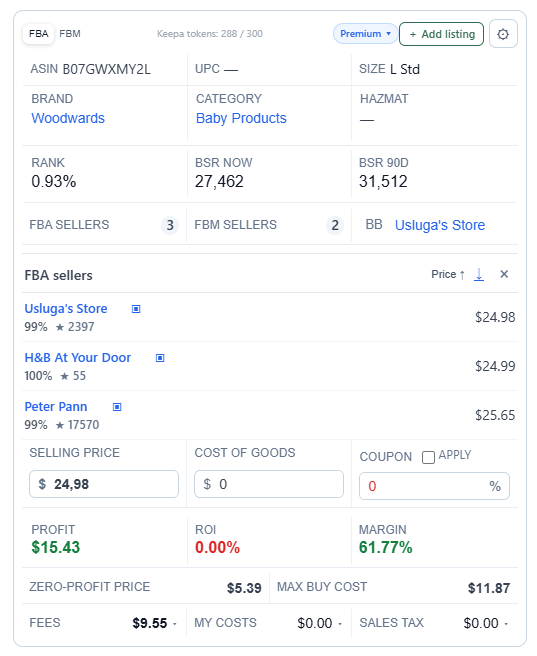
ASINPeek puts seller analysis and seller export in one workflow: review FBA and FBM offers, Buy Box context, seller names, IDs, ratings, feedback, storefronts, and profile links, then export the records as a CSV that opens in Excel.
FBA / FBM sellersBuy Box contextSeparate seller export
What you can see
Evidence that
fits the decision
- Separate FBA and FBM — Understand how fulfillment type changes the competitive picture on the listing.
- Read the Buy Box context — See Amazon, Buy Box, and offer signals next to the product and price.
- Export the seller evidence — Keep seller IDs, storefronts, profile URLs, ratings, feedback, and fulfillment in a separate Excel-ready CSV.
Structured output
Know exactly
what gets measured
| Signal | How ASINPeek uses it |
|---|---|
| Store name | Identify the seller shown on the listing and preserve it in your research file. |
| Amazon seller ID | Keep a stable seller identifier for repeat checks or follow-up research. |
| Rating + feedback | Compare seller reputation signals alongside price and fulfillment. |
| FBA / FBM | Record whether the offer is fulfilled by Amazon or by the merchant. |
| Storefront + profile URL | Take direct links with you for deeper seller research. |
